
Browse & playback
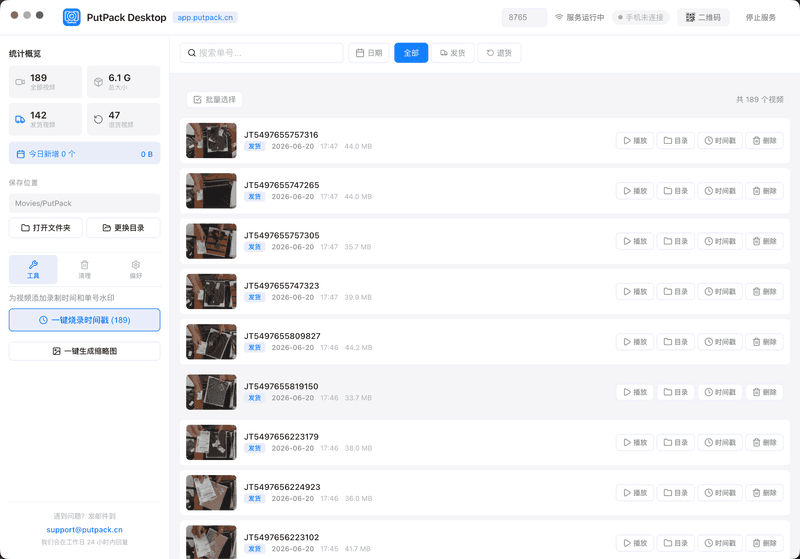
Browse all recording thumbnails on the big screen, with speed control, frame-by-frame viewing and seeking — far more efficient than on a phone.
macOS · Windows
Manage, replay and back up your recordings on your computer. Record on your phone, manage on your desktop.
Version 2.0.80 · macOS 12+ / Windows 10+
If the download fails, try a different browser; if the problem persists, contact support.
Core features
From playback to evidence, the desktop app makes management effortless
Browse all recording thumbnails on the big screen, with speed control, frame-by-frame viewing and seeking — far more efficient than on a phone.
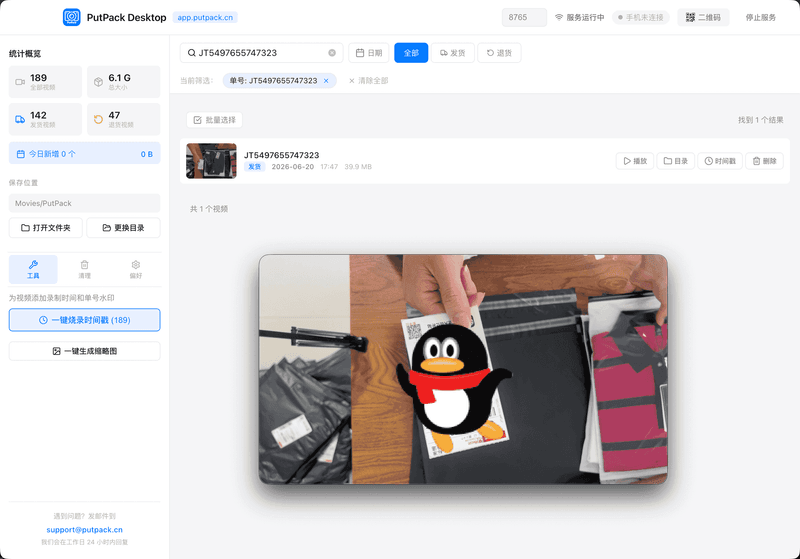
Search by tracking number, date range or recording type — find the exact video in seconds.
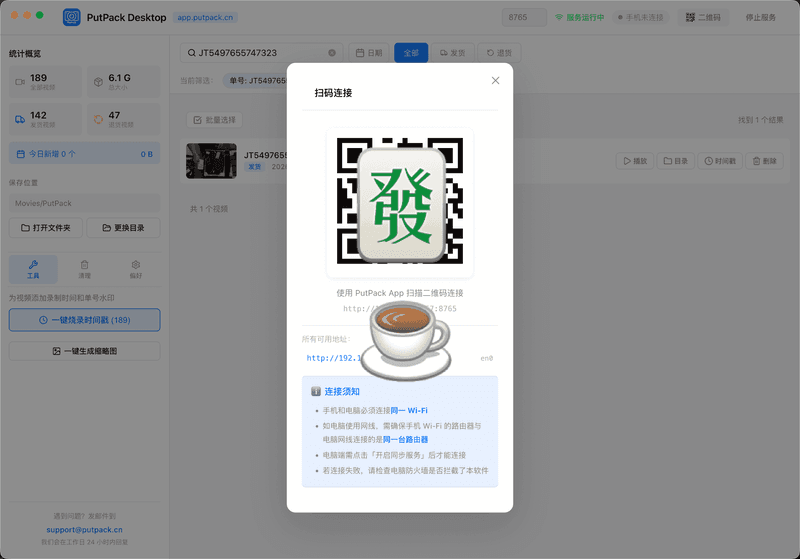
With your phone and computer on the same Wi-Fi, pair once and recordings back up automatically — no cable needed.
Import recordings from your phone for permanent safekeeping, or export video files locally for backup and reuse anytime.
Bundle recordings with tracking numbers and timestamps into an evidence pack, ready to submit with your platform dispute.
Burn the recording time and tracking number onto videos after the fact for stronger, more formal evidence.
Workflow
Scan the label with the PutPack app to record packing or unboxing
Pair once on the same Wi-Fi; recordings transfer to your computer automatically
Browse, export and manage recordings in PutPack Desktop
System requirements
| Item | macOS | Windows |
|---|---|---|
| OS | macOS 12 (Monterey) or later | Windows 10 (21H2) or later |
| CPU | Apple Silicon (M1/M2/M3/M4) or Intel processor | 64-bit processor |
| RAM | 4GB RAM or more | 4GB RAM or more |
| Disk | 200MB free disk space | 200MB free disk space |
On some computers the built-in Edge browser may fail to download the installer. If that happens, switch to another browser (Chrome, Firefox, Safari) and try again. If you run into installation issues, contact support and we will help you sort it out.
Recording happens on the phone; the desktop app handles management and evidence. Use them together.