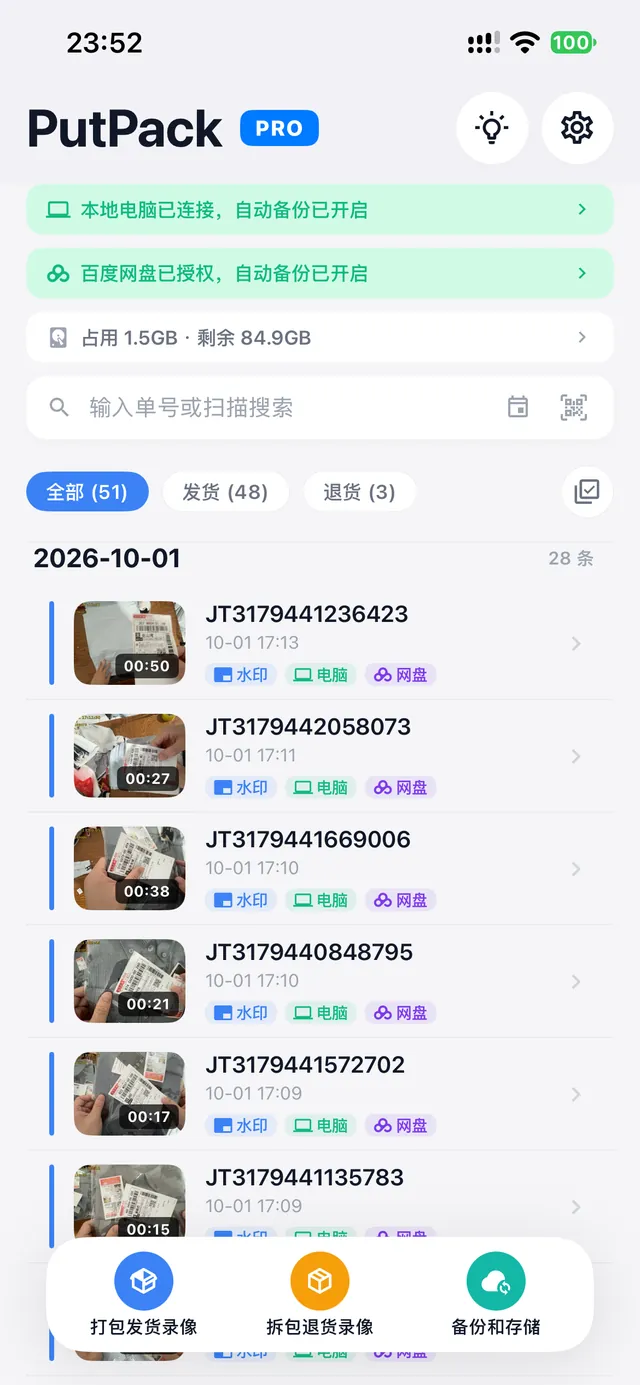
Point the camera at the label and PutPack handles the rest. Every packing and every unboxing becomes a recording stamped with its tracking number and time.
8 languagesSimplified & Traditional Chinese, EN, JA, KO, ES, ID, HI
Local by defaultVideos never pass through PutPack servers
No sign-upStart recording as soon as you scan
Workflow
One package, one proof —in three steps
No complicated setup. Point the camera at the label; PutPack does the rest.
01
Scan to auto-record
Point the camera at the barcode on the shipping label — the tracking number is recognized and recording starts automatically. Switch between shipping and return modes with one tap.
02
Filed by tracking number
All recordings are organized by tracking number automatically. Keyword search, calendar view and thumbnail previews included.
03
Replay & share evidence
Built-in player with speed control and seeking. Export and share with one tap to submit evidence quickly.
Covering every step of your e-commerce business
Whether shipping out or receiving returns, PutPack keeps you covered.
Packing evidence
Record the entire packing and sealing process. Provide complete video proof for damage or missing-item disputes.
Return inspection
Record the whole unboxing when receiving returns, preventing swaps or fraudulent returns.
Dispute resolution
For disputes on any e-commerce marketplace — pull up the matching video and prove your case fast.
Valuable handovers
Record the handover of valuable items end to end, so every exchange is verifiable.
Backup destinations
Two ways to back up —safe on disk and in the cloud
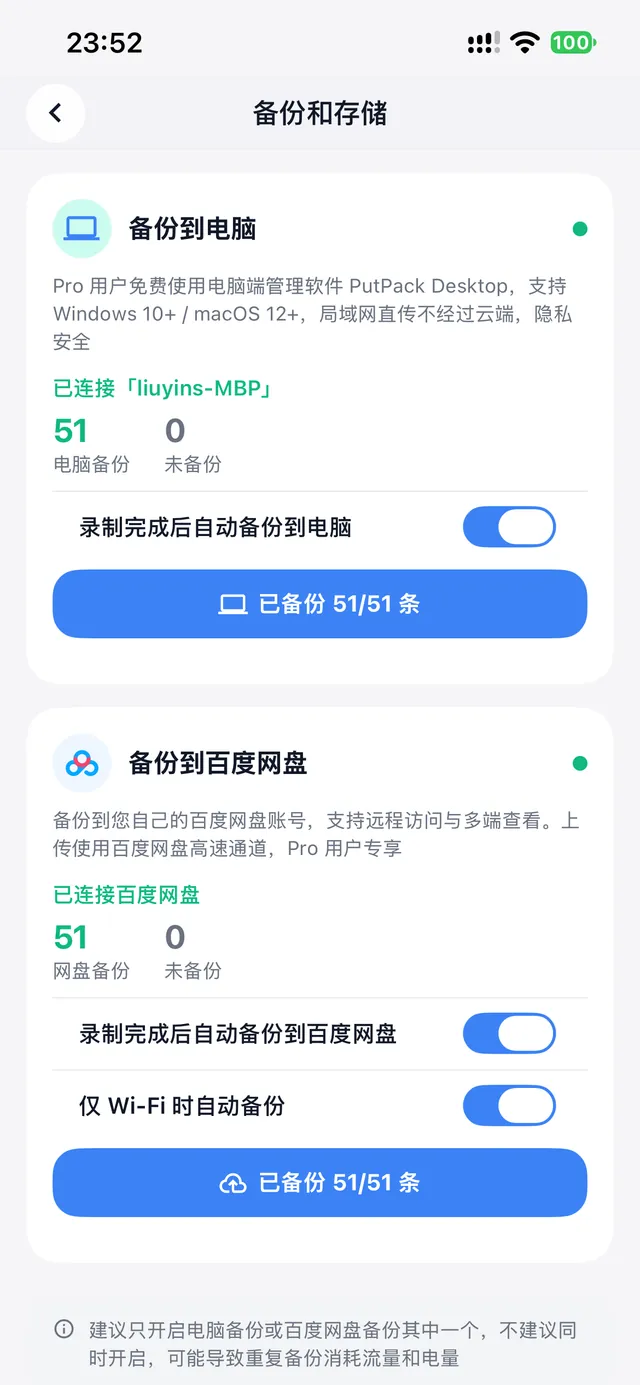
Recordings back up automatically and phone storage frees up. Whether they stay on your own computer or in your own netdisk, videos never pass through PutPack servers.
Pro
LAN backup to your computer
No cables. Pair once with the PutPack desktop app over the same Wi-Fi and recordings transfer automatically after each take.
Videos stay on your own computer
Never through any third-party cloud
Clean up phone storage after backup
Pro
Auto backup to Baidu Netdisk
Authorize your own Baidu Netdisk once — recordings upload automatically, viewable on phone, computer and netdisk anywhere. Survives device changes.
Uploaded straight to your own Baidu Netdisk
Never through PutPack servers
View and replay on any device
Your private evidence library
Phone at the desk,desktop as the library
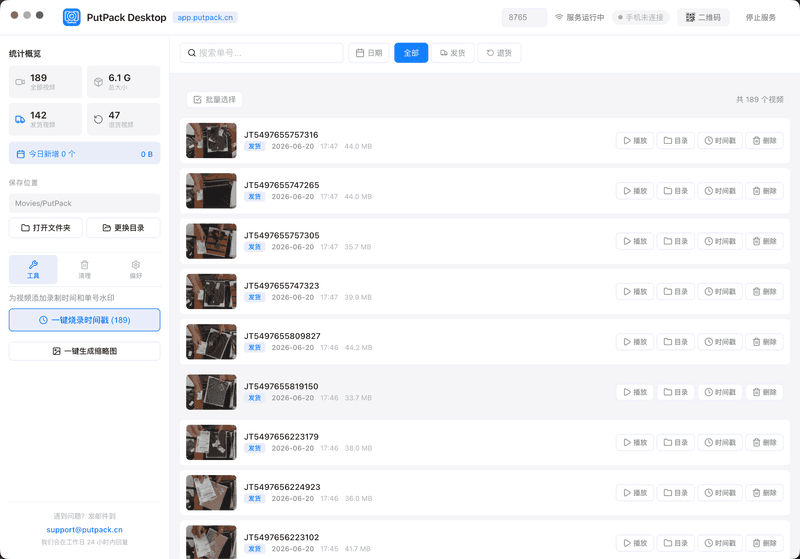
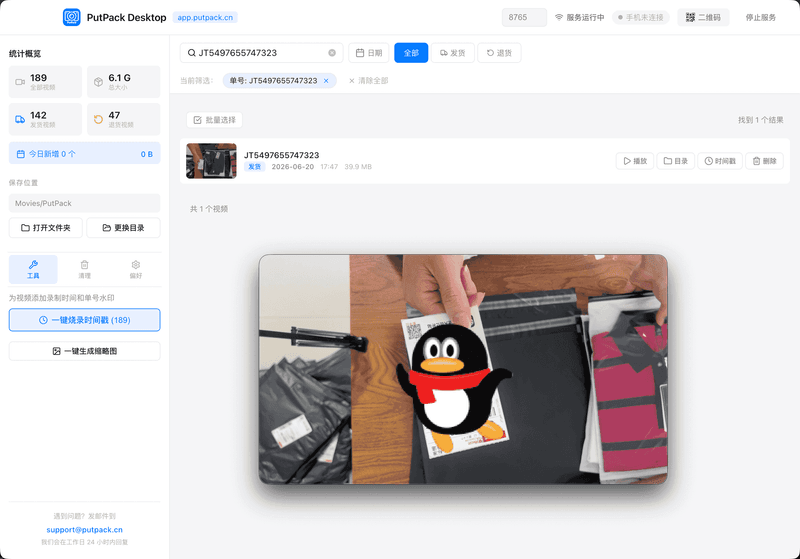
After recording, videos can back up automatically to your computer over the same Wi-Fi. Manage, filter and search them on a larger screen.
Pro includes unlimited recording, automatic backup to your computer and to Baidu Netdisk, and the desktop manager.
FAQ
Frequently asked questions
Answers about recording, backup and data safety — before you have to ask.
Is PutPack free?
PutPack offers a free plan with 50 recordings per day, an unlimited lifetime total, and videos kept forever. For unlimited recording or computer backup, upgrade to Pro — subscriptions and one-time purchases are available in the app, with pricing varying by region.
Where are videos stored? Is it safe?
All videos are stored locally on your device by default and are never uploaded to PutPack servers. LAN backup to your computer transfers over the local network only; for cloud backup you can optionally upload straight to your own Baidu Netdisk — never through our servers. No account is needed to record.
How do I back up to my computer?
Install the PutPack desktop app, make sure your phone and computer are on the same Wi-Fi, and open the backup page in the app to discover and pair automatically. After pairing once, recordings back up automatically — no cables needed. Desktop backup is a Pro feature.
How do I back up to Baidu Netdisk?
On the backup page in the app, choose "Back up to Baidu Netdisk", then sign in and authorize your own Baidu Netdisk account. Once authorized, recordings upload automatically and are saved to "My App Data › PutPack" in your netdisk, viewable on any device. Files go straight from your device to your netdisk — never through PutPack servers. This is a Pro feature.
Which platforms are supported?
PutPack is available on iOS — download it from the App Store. Desktop apps are available for macOS and Windows.
Can recordings be used as legal evidence?
Recordings include the full recording time and tracking number, serving as strong proof in e-commerce dispute appeals. Legal effect is subject to applicable laws and platform rules.
How can I contact support?
Email us at support@putpack.cn and we will reply within 24 hours. For urgent issues, mark your email subject as "Urgent".